
What's New in Rosterlytic 2.5
A whole new look with light and dark themes, a new Home, a faster start with one invite sheet, roster and calendar import in the app, Sign in with Apple and Google, doubles lineups for pickleball, and commissioner-managed teams.
Play like a pro team. Rosterlytic 2.5 gives every screen a fresh new look and makes it faster to get your whole team in: start or join in a tap, invite everyone from one sheet, and bring your roster and fixtures over from a file. Here's what's new.
A Whole New Look
Every screen is redesigned: a glassy new style with new light and dark themes. The analytics you already use (line chemistry, position grades, Win Impact and suggested lineups) look sharper than ever.
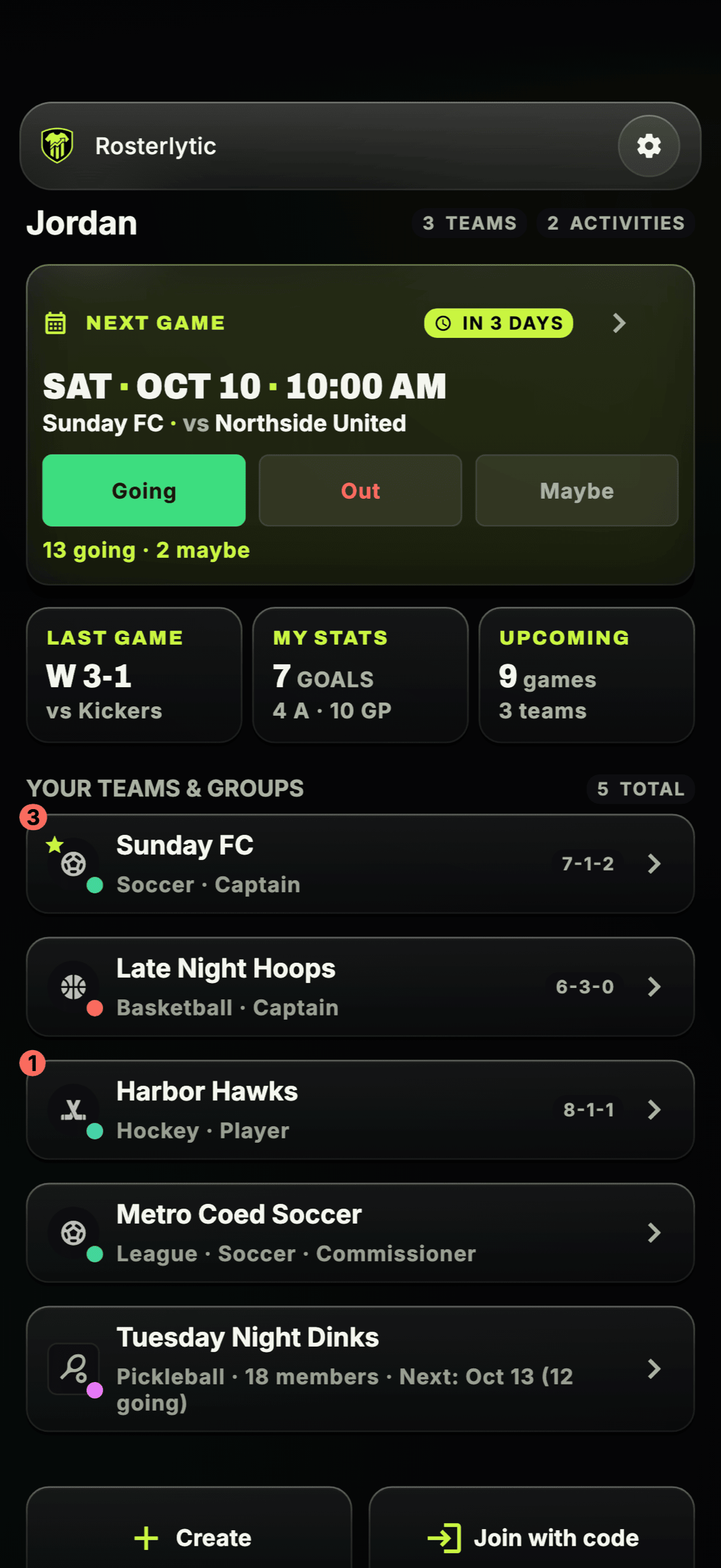
A new Home. Your next game sits at the top with Going / Out / Maybe right on the card, so you can RSVP without opening anything. Below it, three tiles: Last game (your latest result), My stats (your season numbers) and Upcoming (games across all your teams). Then every team and group you're in, with its record.
A Faster Start
New to Rosterlytic? Pick Start a team or Join a team. Sign up with your email and we send you an 8-digit code to confirm it.
Start a team and you land straight in it, with a short setup checklist that shows what's left: invite players, add your first game, get your first RSVPs. It ticks itself off as you go.
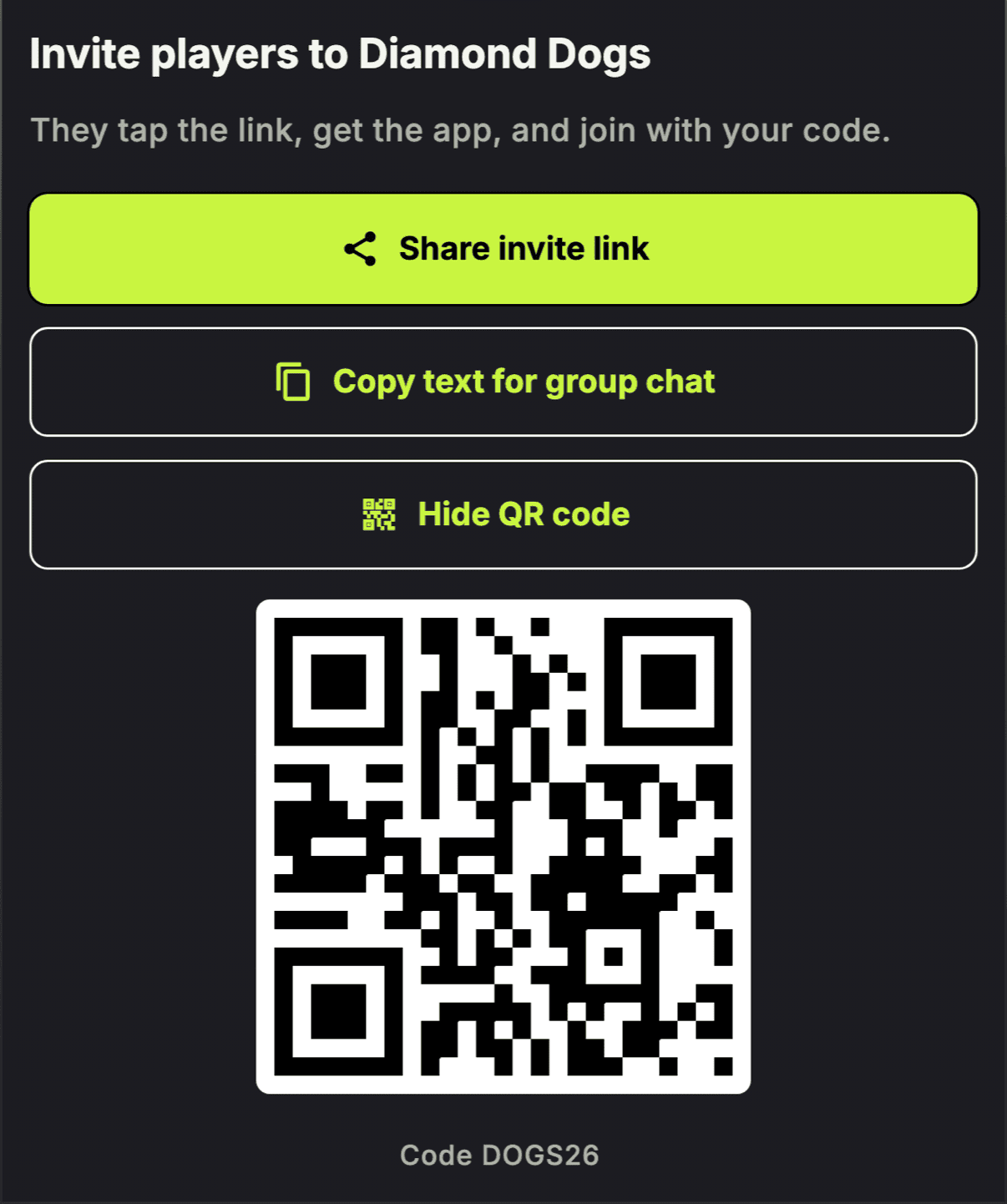
Inviting is one sheet now. It gives you:
- An invite link to share anywhere (links look like rosterlytic.com/j/…).
- A group-chat message, ready to paste into the chat your team already uses.
- A QR code players can scan in person.
Players tap the link, get the app, and join with your team's code.
Bring Your Team
Already have your team somewhere else? Bring it with you. From your roster menu, choose Bring your team: paste your squad or choose a roster file (CSV), add your fixtures from a calendar file (.ics), check what we found, and import it all in one go.
Got the file in an email or in your Files or Drive? Tap Open in Rosterlytic on it and it lands in the same screen.
Sign in with Apple and Google
Skip the password. Sign in with Apple on iPhone, with Google on iPhone and Android, or keep using your email.
Doubles Lineups for Pickleball Teams
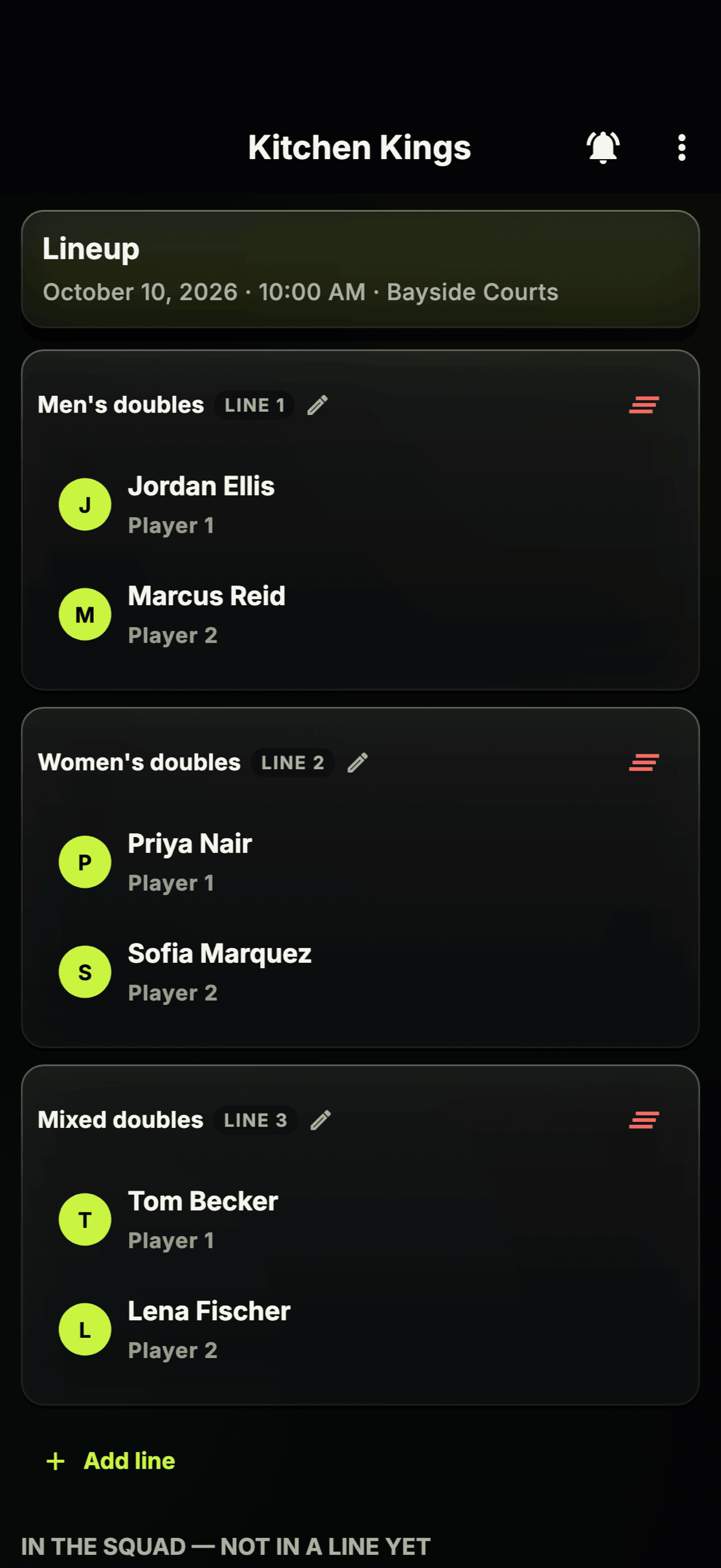
Pickleball teams now set lineups the way doubles actually works: each line has a Player 1 and a Player 2, you can name your lines (Men's doubles, Women's doubles, Mixed doubles) and swap players between lines.
For Leagues
- Game format on every fixture. When a league sets a format for a game (say, "Mixed doubles 2"), it shows as a chip on the game and in the league schedule.
- Commissioner-managed teams. Commissioners can add and run teams themselves, without sending each captain a link first. The phone now matches the web dashboard for a commissioner who runs the whole league on their own.
Under the Hood
Lots of fixes and polish across the app.
How to Get It
Update Rosterlytic from the App Store or Google Play. If automatic updates are on, you may already have it: look for the new Home when you open the app.
Rosterlytic 2.5 is available now. Update from the App Store or Google Play, or log into the web dashboard.
Get the update on your phone and see it in your league.
Download Rosterlytic — FreeKeep reading
What's New in Rosterlytic 2.4.1
Game duties with reminders, season awards voting, injured reserve, playoff and scrimmage game types, default game lengths, and reliability fixes.
Introducing Organizations — Plus Hockey Groups, Guardian Accounts, and More
Rosterlytic v2.3: Organizations for multi-team operators, hockey pickup groups, guardian-managed children, coach and manager roles, a private stats switch, and shared files.
Spring 2026 Update: Overtime, Period Scoring, Branding, and Public Embeds
The biggest Rosterlytic update yet — overtime tracking, period-by-period scoring, team branding, embeddable widgets, a public REST API, and more.